
We’ve all used a digital kiosk. You find them in airports for checking in, in fast-food restaurants for ordering food, and in shopping malls as directories. But let’s be honest: most of them are just big, static touchscreens. They’re functional, but not exactly engaging. You tap a button, you get a result. What if that kiosk could actually talk to you, understand your questions, and respond like a helpful expert? That’s the powerful idea behind the AI kiosk.
An AI kiosk, or intelligent kiosk, is a self-service station that uses artificial intelligence, especially conversational AI, to provide users with rich, interactive, and human-like experiences. Instead of just pressing buttons on a menu, you can speak to it naturally, ask complex questions, and receive smart, helpful answers. This technology is rapidly moving from science fiction to a practical tool that’s transforming customer service in physical spaces. But how does it all come together? Let’s dive in.
Beyond the Touchscreen: What Makes a Kiosk “Intelligent”?
A traditional kiosk is basically a locked-down website on a touch-enabled screen. Its logic is simple: if you touch this button, it shows that screen.
An AI kiosk is fundamentally different. It runs on a “brain” similar to the virtual assistants on your phone or smart speaker, but it’s designed for a specific business context. The “intelligent” part comes from a stack of technologies working together to create a seamless conversational flow.
- It Understands Intent: A regular kiosk forces you to navigate its pre-defined menu. An AI kiosk lets you state your goal in your own words. You don’t have to find the “Store Hours” button; you can just ask, “What time do you close today?”
- It’s Conversational: The system doesn’t just display information; it talks back. It can ask follow-up questions to clarify what you need, making the interaction feel collaborative instead of one-sided.
- It’s Dynamic: An AI-powered kiosk can integrate with business systems in real time. It can check product inventory, book an appointment, or pull up a live event schedule, not just display a static PDF.
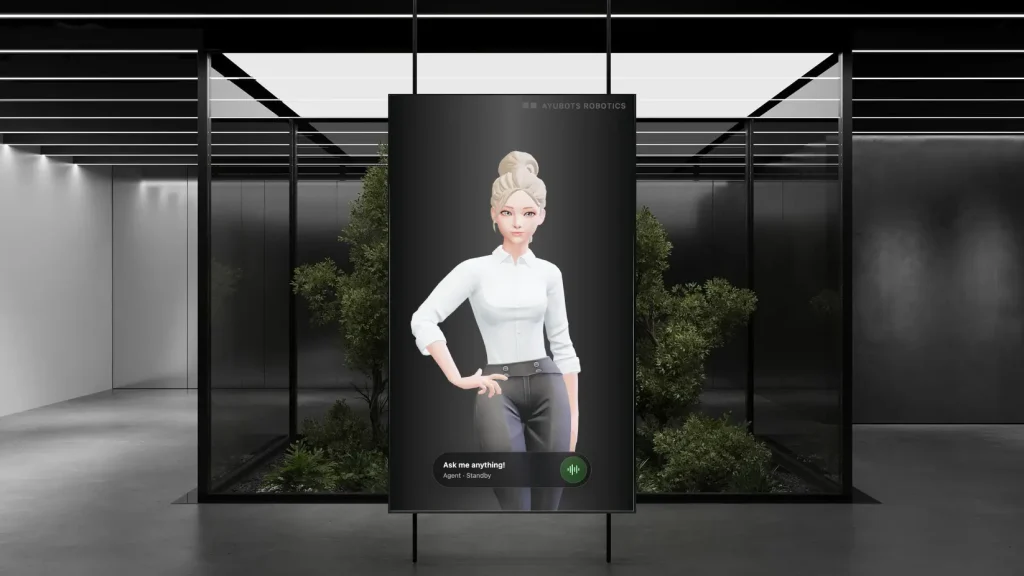
- It’s Personable: The most advanced AI kiosks present themselves as more than just a disembodied voice. They use lifelike avatars, or digital humans, to create a face-to-face interaction that builds trust and engagement.
How an AI Kiosk Works: The Tech Under the Hood
So, what happens in the few seconds after you walk up to an AI kiosk and ask a question? A sophisticated process kicks off, typically involving four key stages.
1. The Input: How It Understands You
First, the kiosk needs to perceive your request. This happens primarily through two inputs:
- Automatic Speech Recognition (ASR): High-fidelity microphones built into the kiosk capture your voice. The ASR engine, which is a core part of the AI, then transcribes your spoken words into digital text. A major challenge here is filtering out background noise in a busy lobby or retail store.
- Touchscreen Input: Users can still opt to type their query, just like in a web chatbot.
- Computer Vision (Optional): Some smart kiosks also use cameras. This isn’t for surveillance, but to “see” when a person is approaching (to wake up and greet them) or even to understand gestures.
A critical feature at this stage is multilingual support. A truly effective AI kiosk in a public space, like an airport or hotel, must be able to understand more than just one language.
2. The “Brain”: Natural Language Processing (NLP)
This is where the real magic happens. The text from the ASR is sent to the Natural Language Processing (NLP) engine. Think of this as the AI’s “brain.”
The NLP model doesn’t just read the words; it determines the intent behind them. For example, the phrases “I need to find a restroom,” “Where’s the bathroom?,” and “Show me the toilets” all have different words but share the same intent. The NLP engine is trained to recognize this.
Once it understands what you want, it figures out what information it needs to fulfill your request. This might be a simple fact, a product detail, or directions on a map.
3. The Knowledge Base: Finding the Right Answer
The AI needs a source of truth. After the NLP engine identifies your intent, the system queries its knowledge base for the correct response. This knowledge base can be made of many things:
- A product database
- Company FAQs and documents
- Real-time APIs (for things like weather, flight statuses, or room availability)
- A “skills” library (for performing actions)
This is also where AI models show a massive advantage. Traditional systems need to be manually programmed with every possible question and answer. Modern AI systems, however, can be “trained” on your business information. The best platforms even feature self-learning capabilities, where the AI can read your website, documents, or product catalog and build its own expertise, much like a new employee learning the ropes.
4. The Output: Delivering the Experience
Once the AI has the answer, it has to deliver it to you in a clear and helpful way.
- Text-to-Speech (TTS): The system uses a high-quality TTS engine to turn its text response into a natural, human-sounding voice. This is far removed from the robotic “computer voices” of the past.
- The Visual Interface: The AI doesn’t just talk. It can simultaneously display information on the screen. It might show you a map with a highlighted route, bring up a product image, or even generate a QR code for you to scan.
- The Avatar: This is the most engaging part. Instead of a blank screen, the AI can be represented by a lifelike, 3D animated avatar. This “digital human” can make eye contact, use natural gestures, and show expressions. This single feature dramatically increases user engagement and makes the interaction feel more personal and less robotic.
The Real-World Impact: Why Businesses Are Adopting AI Kiosks
This technology isn’t just cool; it solves real business problems. By bridging the gap between digital convenience and human interaction, AI kiosks offer powerful benefits.
Top Use Cases for Smart Kiosks
You can find AI-powered kiosks popping up in a huge range of industries:
- Retail: A “virtual product expert” that answers detailed questions about electronics, helps you find your size, or provides recommendations.
- Hospitality: A “virtual concierge” in a hotel lobby that can check guests in, offer restaurant recommendations, and book tours, 24/7.
- Corporate: A “virtual receptionist” that greets visitors, signs them in, notifies the employee they’re meeting, and answers common questions about the building.
- Healthcare: A “patient check-in” kiosk that can verify appointments, collect information, and provide directions to the right department, all while being patient and private.
- Events & Venues: An “information booth” at a trade show or stadium that provides event schedules, booth locations, and helps with ticketing.
- Transportation: An “information guide” in an airport or train station that provides live updates, gate information, and wayfinding.
Key Business Benefits
Businesses that deploy AI kiosks often see a significant return on their investment:
- 24/7 Availability: The AI agent never calls in sick, never needs a break, and is always ready to help customers with a friendly attitude, any time of day or night.
- Instant Multilingual Support: This is a game-changer for businesses with diverse customers. A single AI agent can be programmed to speak and understand 8, 10, or even more languages fluently, instantly breaking down communication barriers.
- Improved Efficiency: The AI kiosk can handle the vast majority of repetitive, common questions (like “Where is…?” or “What are…?”) This frees up your human staff to focus on more complex, high-value customer issues.
- Consistent, Accurate Information: The AI delivers the exact right answer every time, based on its training. There’s no risk of a new employee giving out-of-date information.
- Enhanced Customer Engagement: Let’s face it, a talking avatar is memorable. It provides a “wow” factor that improves the customer’s perception of your brand and makes their experience smoother.
- Actionable Data: The AI kiosk logs every question it’s asked. This provides you with a goldmine of data about what your customers actually want to know, helping you identify service gaps or popular products.
Spatial Agents: The Conversational AI Kiosk Platform
The biggest barrier to adopting an AI kiosk used to be the complexity. Building all that technology from scratch (ASR, NLP, 3D avatars, a content management system) would require a team of specialized engineers and cost a fortune.
This is where a SaaS (Software as a Service) platform comes in. Instead of building the “brain,” you can now license one. This is exactly what we do at Spatial Agents.
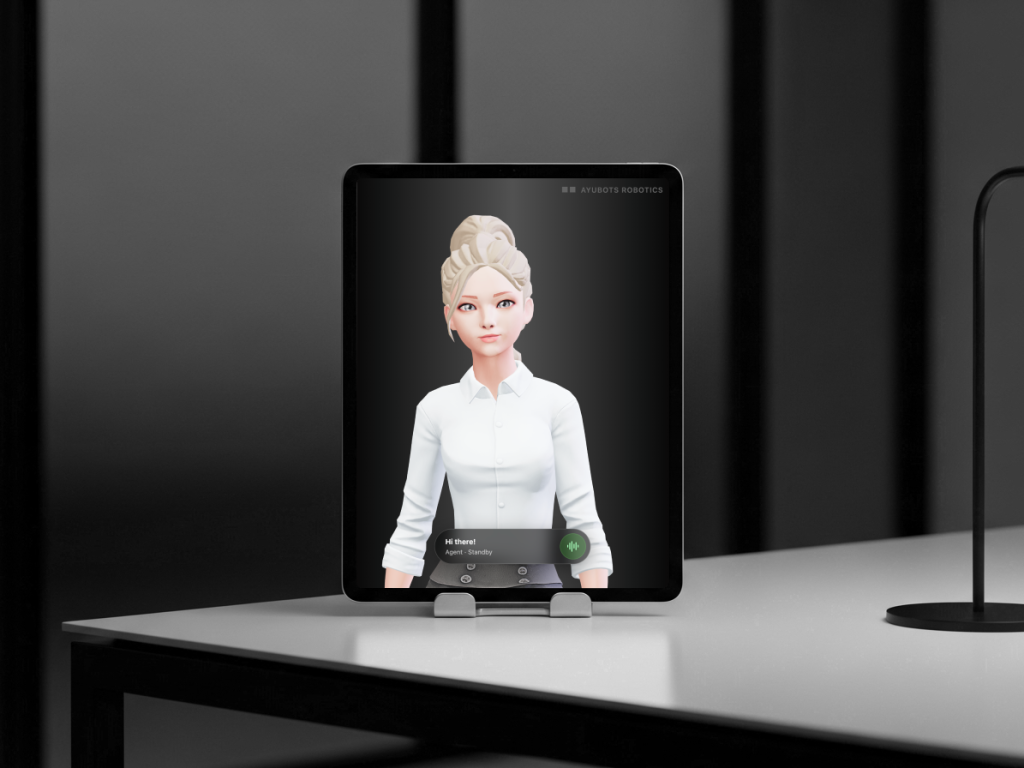
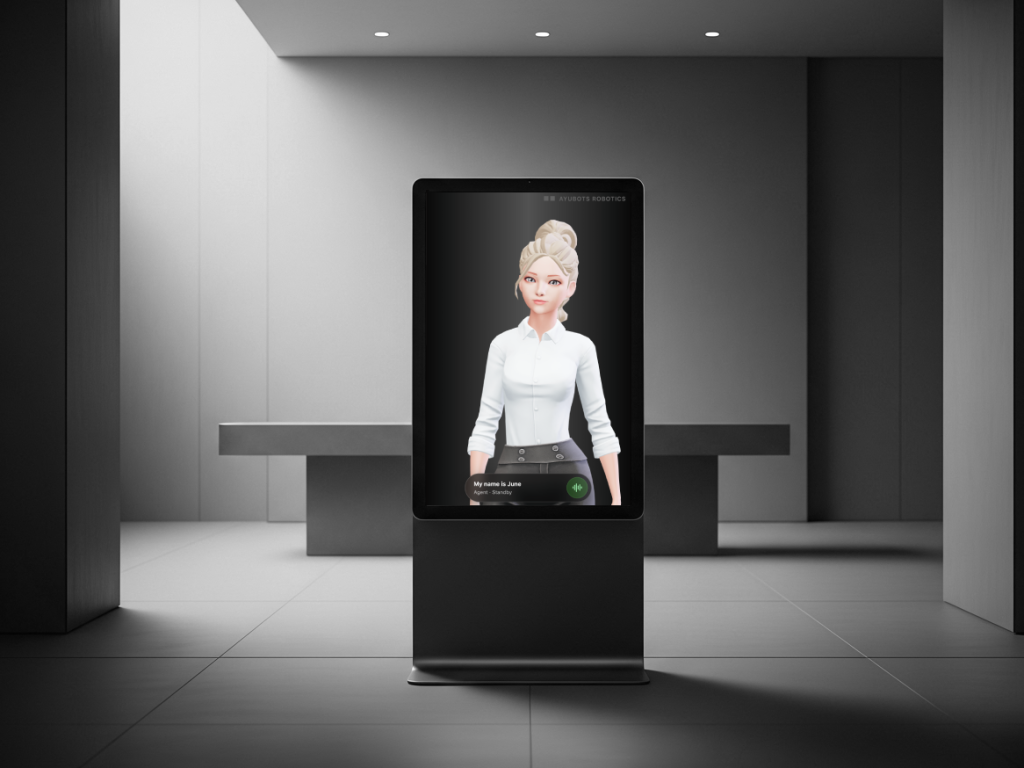
Spatial Agents by Ayubots Robotics is a platform designed to let any business deploy a lifelike, conversational AI agent on almost any device. We provide the intelligence; you provide the hardware (which can be as simple as an iPad or as large as a full-size kiosk).
How Spatial Agents Solves the AI Kiosk Puzzle
We built Spatial Agents to directly address the challenges of creating a truly human-like interactive experience.
- Lifelike 3D Avatars: Our agents aren’t chatbots. They are fully animated 3D characters with real personalities (based on real people!). They use natural gestures and expressions, making interactions feel genuinely human and building trust.
- Effortless Self-Learning: You don’t need to be an AI expert to train a Spatial Agent. Our system “learns from you” by asking you questions about your business, products, and processes. It builds its expertise over time, just like a new hire you’d train yourself.
- Instant Multilingual Power: A Spatial Agent can speak and understand 8+ languages right out of the box, including English, Spanish, French, German, Japanese, Arabic, and more. You can instantly serve a global audience from a single kiosk.
- Action-Oriented Agents: Our agents don’t just talk. They do things. They can be configured with “Agent Apps” to perform tasks, like generating a QR code on-the-fly to send a form to a user’s phone, pulling up a specific website link, or integrating with your business tools.
- Total Hardware Flexibility: Spatial Agents is web-based. This means it can run on almost any modern device. Deploy it on a small tablet for personal, one-on-one interactions at a help desk, or on a large 50-inch touchscreen kiosk for a high-traffic lobby.
Getting Started: Your First Steps Toward an AI Kiosk
Ready to explore what an AI-powered kiosk could do for your business? Here’s a simple path to get started.
- Define Your Goal: First, identify the key problem you want to solve. Is it managing visitors in your lobby? Answering product questions in your store? Providing 24/7 help in your hotel? A clear goal will guide all your other decisions.
- Choose Your Hardware: Based on your goal, select a form factor. A tablet/iPad is perfect for a reception desk or a one-on-one help station. A larger, free-standing touchscreen kiosk is better for high-traffic public areas like malls or event venues.
- Select Your Software Platform: This is the most important step. A platform like Spatial Agents eliminates all the heavy lifting of AI development. You get the avatar, the AI brain, the multilingual support, and the content management system all in one package.
- Train Your Agent: This is the fun part. With Spatial Agents, this isn’t coding. It’s a simple, conversational process of providing your agent with the knowledge it needs to be a helpful expert for your customers.
- Test and Deploy: Place your new AI kiosk in its environment and let real users interact with it. You can monitor its conversations and easily update its knowledge to make it smarter every day.
Conclusion: The Future of Customer Interaction is Here
The AI kiosk is a monumental leap from the static, button-based directories of the past. By combining natural language processing, speech recognition, and engaging avatars, these intelligent stations can provide human-like, helpful, and multilingual support, 24/7.
They solve critical business needs by improving efficiency, ensuring information is always accurate, and offering a deeply engaging experience that customers remember. What was once complex and expensive to build is now accessible to businesses of all sizes through powerful platforms.
This technology is no longer just a concept; it’s a real-world solution. You can deploy your own AI-powered virtual agent to start automating repetitive inquiries and delighting your visitors today.